
I didn’t choose the ecobee Premium. SMUD chose it for me.
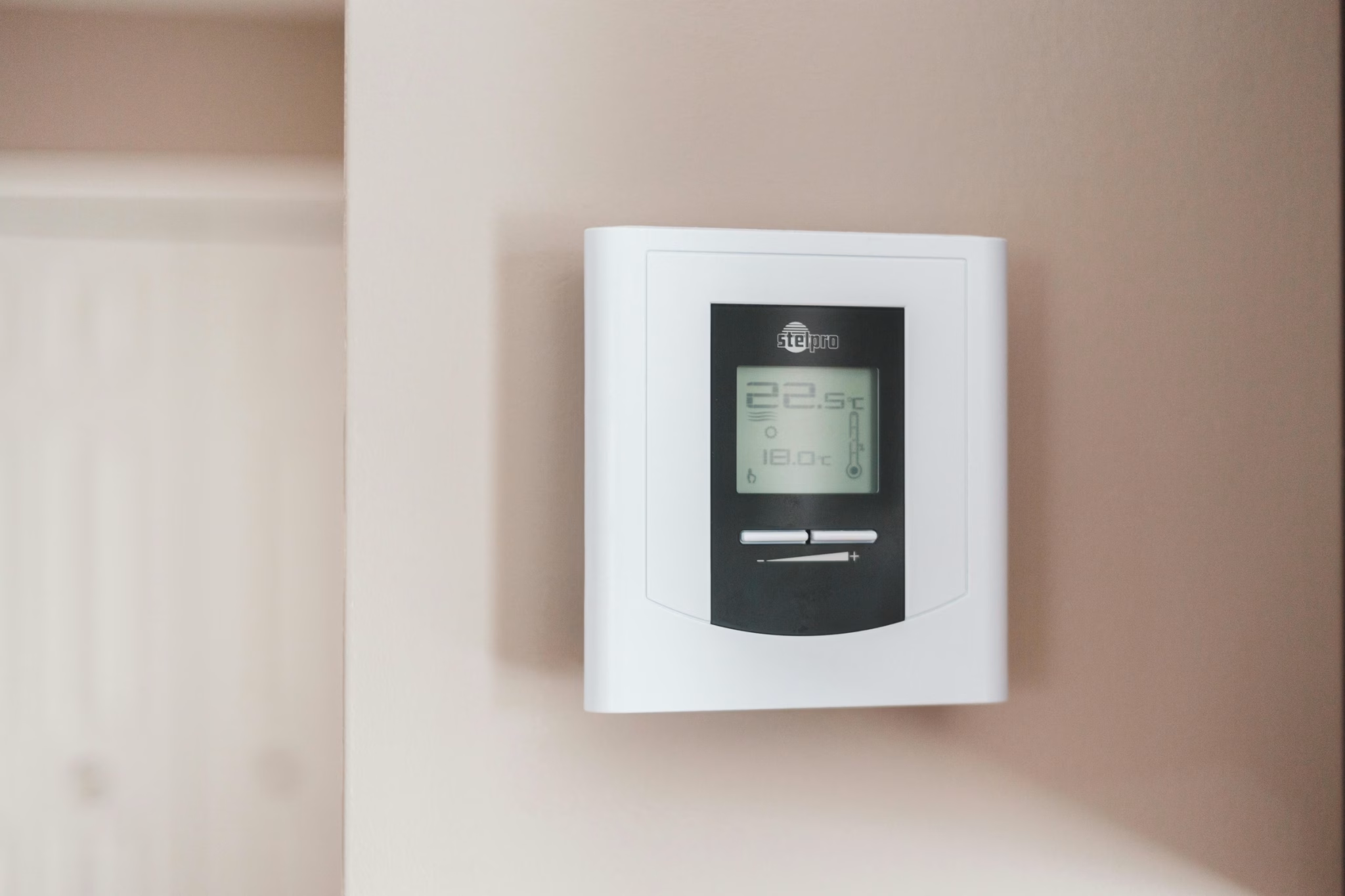
When I installed a heat pump water heater last year, the rebate process required enrollment in SMUD’s My Energy Optimizer program. That program demands a compatible hardwired smart thermostat. My existing Mitsubishi wireless controller, the REDLink system with an MHK2 controller that cost roughly $600 in parts, didn’t qualify. Too advanced, apparently. SMUD’s approved list includes Nest, ecobee, Sensi, and Honeywell. Hardwired only.
So I ripped out a sophisticated wireless HVAC controller and replaced it with a $249 thermostat to unlock a $3,000 rebate. Math worked out. Irony stung.
Six months later, I have opinions. The ecobee Premium is a competent thermostat that handles basic climate control reliably. It also strips away half the capabilities of my Mitsubishi heat pump, and its smart home integration story has quietly fallen apart. Here’s what I wish someone had told me before the install.
Key Takeaways
- Forced choice for rebates: SMUD’s My Energy Optimizer requires a hardwired smart thermostat, disqualifying more advanced wireless HVAC controllers
- Variable-speed heat pump limitations: The ecobee cannot control continuous modulation, adaptive fan speeds, or variable compressor output on modern inverter heat pumps
- API shutdown: ecobee stopped issuing new developer API keys in March 2024, breaking direct Home Assistant integration for new users
- HomeKit workaround exists: You can connect through HomeKit Device integration in Home Assistant, but it’s a workaround, not a solution
- Solid for conventional systems: If you have a standard furnace and AC, the ecobee Premium performs well with reliable scheduling, eco+ features, and decent energy reporting
- Premium vs Enhanced: The $60 price gap only justifies itself for complex HVAC setups needing extra terminals, or if you want built-in air quality monitoring
- Price: $249 retail, includes one SmartSensor (a $50 value separately)
What the ecobee Premium Actually Is
The ecobee Premium sits at the top of ecobee’s thermostat lineup at $249. It’s a touchscreen smart thermostat with built-in air quality monitoring, voice control (Alexa or Siri, your pick during setup), and a zinc alloy metal frame that feels substantially better than the plastic Enhanced model below it.
In the box you get the thermostat, a backplate, a trim plate for covering old thermostat holes, a Power Extender Kit for homes without a C-wire, wire labels, mounting hardware, and one SmartSensor for monitoring temperature in a second room.
The Premium handles heat pump systems with up to 2 stages of heating and cooling plus auxiliary heat, conventional furnace and AC systems, boilers, fan coil units with up to 3 fan speeds, and multi-zone configurations. That covers most residential HVAC in the United States.
What it does not handle: inverter-type heat pumps and VRF (variable refrigerant flow) systems. More on that in a moment, because this is where things got complicated for me.
Premium vs Enhanced: Is the Upgrade Worth $60?
| Feature | Premium ($249) | Enhanced ($189) |
|---|---|---|
| Built-in SmartSensor | Included | Sold separately ($50) |
| Air quality monitor (VOCs, CO2) | Yes | No |
| Voice control (Alexa/Siri) | Built-in speaker | No |
| Frame material | Zinc alloy metal | Plastic |
| Extra wiring terminals | Yes (humidifier, dehumidifier) | No |
| Smart scheduling | Yes | Yes |
| Smartphone app | Yes | Yes |
| eco+ energy savings | Yes | Yes |
| HomeKit compatible | Yes | Yes |
For basic climate control, the Enhanced performs identically. The Premium earns its price gap if you need extra wiring terminals for HVAC accessories, if the included SmartSensor saves you a separate $50 accessory buy, or if air quality monitoring matters to you. The built-in voice control sounds appealing until you realize most thermostats aren’t mounted where you’d naturally talk to them. Mine sits in a hallway. I’ve used the voice feature exactly twice.
Why I Installed It (And Why You Might Have To)
Context matters here. I have a Mitsubishi SVZ-KP36NA indoor heat pump unit. Before the ecobee, it ran on Mitsubishi’s own wireless controls, hardware designed specifically for that unit. The wireless interface understood the heat pump’s variable-speed capabilities. It could communicate directly with the compressor. It optimized performance in ways a generic thermostat cannot.
Then I installed an 80-gallon AO Smith ProLine XE Voltex heat pump water heater. The total project ran $14,427 before rebates. SMUD offered $3,000 through My Energy Optimizer, TECH Clean California added $1,800, and the federal tax credit covered roughly $2,000 more. But SMUD’s rebate required enrolling in their demand response program for three years, and that program requires a hardwired thermostat from their approved list.
My Mitsubishi wireless controller? Not on the list.
Mitsubishi sells an adapter called the PAC-445, a piece of hardware that converts the heat pump’s proprietary communication into standard thermostat wiring. I had my contractor at Brower Mechanical run low-voltage wire and install the adapter alongside the ecobee. Adapter and labor came to about $1,200.
To be completely transparent, this felt like paying $1,200 to make my HVAC system worse. But the rebate math was clear. Net savings after all incentives brought the water heater project from $14,427 down to roughly $8,427. The thermostat swap was the price of admission.
Installation From Bare Wires
If you’re replacing an existing thermostat with standard wiring already in place, installation takes about 30 minutes. My situation was different. Running new wire from the PAC-445 adapter to the thermostat location added complexity, but the ecobee side of things was straightforward.
Before You Start
Photograph everything before you disconnect a single wire: the existing thermostat wiring, the furnace control board terminals, every wire color, every terminal label. I cannot overstate this. The photo takes three seconds. Rewiring from memory because you forgot which terminal the brown wire connected to takes considerably longer.
You’ll need a Phillips screwdriver, flathead screwdriver, wire strippers, a drill with a 3/16-inch bit, and a pencil. The ecobee box includes wire labels, mounting screws, drywall anchors, and the Power Extender Kit, with additional materials from an electrical supply store.
The C-Wire Situation
Many older homes lack a C-wire (common wire). The ecobee solves this with the included Power Extender Kit, which installs at your furnace and repurposes an existing wire in the cable bundle. If your thermostat cable only has four wires (R, W, Y, G), you’ll need the PEK. If you already have a blue or black wire connected to a C terminal, skip this step.
Installing the PEK means opening your furnace access panel, disconnecting the existing thermostat wires from the control board, connecting the PEK’s five wires to the corresponding terminals (R, W, G, Y, C), then connecting your existing thermostat wires to the PEK unit. It sounds intimidating. The actual process is straightforward if you labeled your wires.
Mounting and Wiring
Feed all thermostat wires through the backplate’s center opening. Level it against the wall using the built-in indicator. Mark your holes, drill pilot holes, tap in the drywall anchors, and screw the backplate flush.
The ecobee uses push-in terminals. Press the release tab, insert about a quarter inch of stripped wire, release. Tug gently to confirm each connection holds. Standard wiring order: R to Rc, C to C, W to W1, Y to Y1, G to G. Heat pump systems add O/B for the reversing valve and W2/E for auxiliary heat.
Snap the thermostat onto the backplate until it clicks. Restore power at the breaker. If the screen lights up, you’re in business. If it stays dark, check the C-wire connection at both ends.
Initial Setup
The on-screen wizard walks through language, Wi-Fi setup on either 2.4GHz or 5GHz, HVAC system configuration, and location. Download the ecobee app on iOS 16 or later or Android 10 or later, then create your account. The included SmartSensor pairs through the thermostat menu under Add Device. Mount the sensor in a frequently occupied room, 2 to 60 feet from the thermostat, away from vents, direct sunlight, and exterior walls. Assign it to a comfort mode such as Home, Away, or Sleep so it influences temperature decisions at the right times.
For bedrooms, activate the sensor only during Sleep mode. This prioritizes bedroom comfort at night while the main thermostat handles daytime readings. The sensor’s CR2477 battery lasts about five years. If you want sensors in multiple rooms, the SmartSensor 2-pack works out cheaper than buying singles.
What You Lose With a Modern Heat Pump
Here’s where things get complicated.
Modern inverter heat pumps like my Mitsubishi operate on a fundamentally different principle than traditional staged systems. Instead of cycling the compressor on and off (stage 1, stage 2, full blast), an inverter continuously modulates compressor speed to match the heating or cooling demand precisely. Fan speed adjusts dynamically. At 30% capacity on a mild day the system whispers along, then ramps to 100% during a heat wave. This continuous modulation is what makes modern heat pumps so efficient.
The ecobee Premium cannot control any of this.
Through the PAC-445 adapter, the ecobee sends basic on/off and stage signals to my Mitsubishi unit. Those crude instructions land on a heat pump built for nuance. Instead of smoothly modulating between 30% and 100%, it’s now operating in stepped modes. Compressor cycling picks up. Fan speeds stay fixed instead of adjusting dynamically. Temperature swings that the native controller would have prevented become noticeable.
What disappears with the adapter
- Continuous compressor modulation: Gone. Replaced by staged on/off cycling.
- Adaptive fan speed: Gone. The ecobee supports up to 3 fixed fan speeds, not the continuous range the Mitsubishi controller managed.
- Predictive defrost optimization: Gone. The native controller anticipated defrost cycles based on outdoor conditions and compressor behavior. The ecobee just reacts.
- Direct compressor communication: Gone. The PAC-445 adapter translates, and translation always loses nuance.
Does the house still heat and cool? Absolutely. Is it as efficient or as comfortable as it was with the native controller? No. Temperature holds within a degree or two of the setpoint, but I notice the system cycling where it used to just… run quietly. Compressor kicks on harder and shuts off more abruptly. It’s the difference between a dimmer switch and a light switch.
If you have a standard single-stage or two-stage furnace with central air, none of this applies to you. The ecobee Premium will control your system exactly as well as any thermostat on the market. This limitation hits exclusively when you pair it with modern variable-speed or inverter HVAC equipment.
The Home Assistant Problem
For years, the ecobee was the smart home enthusiast’s thermostat of choice. Direct API access meant Home Assistant could read every sensor, adjust every setting, and build automations the ecobee app couldn’t dream of. Temperature equalization between floors. Coordinating HVAC with solar production. Pausing the system when windows open.
In March 2024, ecobee stopped issuing new API keys. The developer program shut down. No announcement about when (or if) access will return. If you had an existing API key, it still works. If you’re a new user setting up Home Assistant today, you cannot get one.
This was the feature that pushed me toward the Premium over a Nest or Honeywell. I run Home Assistant on my home network and expected to build automations coordinating the ecobee with my heat pump water heater. Scheduling water heating during off-peak SMUD hours while the ecobee handles Time of Use pre-cooling. Monitoring total home electricity draw and delaying water heater cycles when the HVAC runs. The kind of coordination that produces real savings on a time-of-use rate plan.
Instead, I discovered the API was gone about two weeks after installation.
The HomeKit Workaround
There is an alternative path. The ecobee Premium supports Apple HomeKit, and Home Assistant can connect through its HomeKit Device integration. This provides local control (no cloud dependency), fast response times, and basic climate entity access.
To set it up: remove the thermostat from Apple Home if it’s paired there. On the ecobee, navigate to Settings > HomeKit and enable pairing mode. An eight-digit code appears on screen. In Home Assistant, go to Settings > Devices & Services, and the ecobee should auto-discover as a HomeKit device. Enter the code. SmartSensor data comes through as temperature and occupancy entities.
It works. But “works” and “replaces full API access” are different conversations. The HomeKit integration provides temperature control and sensor readings. It does not expose air quality data, detailed energy reports, eco+ feature status, or the granular system information that the native API offered. If you’re building complex automations, you’re working with a subset of what ecobee users had two years ago.
What Actually Works Well
I’ve spent several paragraphs on limitations. Here’s where the ecobee Premium earns its keep.
eco+ and Time of Use Scheduling
The eco+ suite includes six automated energy-saving features, and the ones relevant to Sacramento residents on SMUD’s time-of-use plan do reduce bills. Time of Use pre-cools the house during off-peak hours (before 5 PM on SMUD’s plan) and minimizes operation during peak rates (5-8 PM, when prices roughly triple). Smart Home & Away adjusts automatically when everyone leaves, using occupancy sensors and optional phone location tracking.
Community Energy Savings enrolls you in utility demand response events. During grid stress, SMUD can adjust your temperature by 1-4 degrees Fahrenheit. You earn $50 to $125 annually in credits. Given that My Energy Optimizer enrollment was mandatory anyway, this became free money.
Schedule Assistant monitors your patterns for five weeks, then suggests adjustments when your actual occupancy doesn’t match your programmed schedule. I found its suggestions reasonable about 70% of the time.
Air Quality Monitoring (With Caveats)
The built-in sensor tracks VOCs (volatile organic compounds), estimated CO2, and humidity. A clean/fair/poor indicator sits on the home screen. Tap it for detailed readings and suggestions like opening windows or running exhaust fans.
The built-in sensor cannot measure particulate matter, mold spores, or allergens. If wildfire smoke and PM2.5 is your concern (and in Sacramento, it should be), this sensor won’t help. Placement matters as much as capability. My thermostat sits in a hallway. If someone is cooking with high heat in the kitchen, the air quality reading in the hallway might still show “clean” while the kitchen fills with smoke. The sensor measures where it sits, not where the problems occur.
The air quality data also does not currently expose through the HomeKit integration to Home Assistant. If you want to automate an air purifier based on VOC readings, you’ll need a separate sensor.
Energy Reports
The ecobee app shows heating and cooling runtime by day, week, or month, and compares your efficiency against similar homes in your region. After adjusting my eco+ settings and Time of Use schedule, I tracked about a 12% reduction in HVAC runtime during peak hours over the first three months. Whether that translates directly to 12% bill savings depends on your rate structure, but the trend was consistent.
The reports also flag potential system problems. Unusually long heating cycles can indicate clogged filters or duct issues, or equipment issues that need service.
The Hardware Itself
Build quality holds up to daily use. The zinc alloy frame feels solid, touchscreen response is fast, and the display reads cleanly from across the room. SmartSensor connection has stayed reliable at about 35 feet through two interior walls, which matches ecobee’s 45-foot line-of-sight claim reasonably well. App connections rarely drop, though a brief “lost connection” message occasionally shows up and resolves within seconds.
Temperature accuracy runs about 1-2 degrees Fahrenheit high compared to a standalone thermometer I placed next to it. The thermostat generates a small amount of internal heat that skews its own reading. Using the SmartSensor for your occupied room and treating the main unit as the controller rather than the primary temperature source mostly solves this.
The Bottom Line
Buy Premium
Conventional furnace and AC, you want reliable smart thermostat features, and the included SmartSensor adds value. The Premium is a good thermostat for standard HVAC, and slots in cleanly alongside other smart home essentials like locks and video doorbells.
Buy Enhanced instead
Simple system, no need for air quality monitoring, voice control at the thermostat, or extra wiring terminals. You’ll save $60 for identical climate control performance, and the SmartSensor is available separately whenever you decide you want one.
Pause if you have a modern heat pump
Variable-speed or inverter heat pumps lose the features that make them efficient. If a rebate program forces the switch (like mine did), understand what you’re trading away before you commit. The rebate math may still work in your favor, but go in with realistic expectations.
Pause if you need Home Assistant
The API shutdown limits new users to the HomeKit workaround, which provides basic control but not the full feature set that made ecobee the enthusiast favorite. If you’re already running Home Assistant for a Sonos setup or other deep automation, this matters.
For my specific situation, a Mitsubishi heat pump system forced onto a generic thermostat for rebate eligibility, the ecobee Premium does its job adequately. The eco+ features and Time of Use scheduling produce measurable savings on SMUD’s rate plan. But I still glance at the spot where my Mitsubishi wireless controller used to sit and think about what I gave up.
The $3,000 rebate made it the right financial decision. That doesn’t make it the right thermostat.
Frequently Asked Questions
Does the ecobee Premium work with heat pumps?
It works with traditional staged heat pumps (up to 2 stages heating, 2 stages cooling, plus auxiliary heat). It does not directly support inverter or variable-speed heat pumps. Those systems require an adapter like the Mitsubishi PAC-445 to convert proprietary communication into standard thermostat wiring, and you lose variable-speed capabilities in the process.
Can the ecobee Premium connect to Home Assistant?
Not through the native API for new users. ecobee stopped issuing developer API keys in March 2024. Existing keys still work. New users can connect through the HomeKit Device integration in Home Assistant, which provides basic climate control and sensor data but does not expose air quality readings or detailed energy information.
Is the ecobee Premium worth the upgrade over the Enhanced?
For most homes with standard HVAC, the Enhanced provides identical climate control at $60 less. The Premium earns its price if you need extra wiring terminals for HVAC accessories, want the included SmartSensor (saving $50 separately), or value the air quality monitor. The built-in voice control sounds useful but rarely gets used unless the thermostat is centrally located.
What does the air quality monitor actually measure?
VOCs (volatile organic compounds), estimated CO2, and humidity. It cannot detect particulate matter, mold, or allergens. The readings reflect conditions at the thermostat’s location only, so it won’t alert you to air quality problems in rooms far from where it’s mounted.
Does the ecobee Premium need a C-wire?
It works best with a C-wire, but the included Power Extender Kit provides an alternative for homes without one. The PEK installs at the furnace and repurposes existing wires in your thermostat cable. Installation adds about 15 minutes to the process.
How accurate is the ecobee Premium’s temperature sensor?
In my testing, it reads 1-2 degrees Fahrenheit higher than a standalone thermometer placed nearby. The thermostat generates internal heat that affects the reading. Using the included SmartSensor in your primary living space and relying on it for temperature decisions largely solves this issue.
Does the ecobee Premium work with SMUD’s demand response program?
Yes. It’s on SMUD’s approved thermostat list for the My Energy Optimizer program. The eco+ Community Energy Savings feature participates in demand response events, allowing SMUD to adjust your temperature by 1-4 degrees during grid stress. Credits range from $50 to $125 annually, and stack with other energy-saving habits around the house.
How does the ecobee Premium handle power outages?
The thermostat restores your previous settings when power returns. Your schedule, preferences, and sensor pairings are stored in the unit’s memory. Wi-Fi reconnects automatically. If you use the HomeKit integration with Home Assistant, local control resumes as soon as both devices are back on the network.
What’s the battery life on the SmartSensor?
ecobee rates the CR2477 battery at approximately five years. The sensor communicates on 915MHz radio, which is low-power enough that battery replacement is infrequent. Replacement batteries cost about $5.
Can I use the ecobee Premium with both Alexa and Siri?
You choose one during initial setup. The built-in speaker functions as either an Alexa endpoint (supporting music, smart home commands, intercom) or a Siri device (requiring an Apple Home hub like HomePod or Apple TV). You cannot run both simultaneously on the thermostat itself, though you can still control the ecobee through either ecosystem’s app.
Affiliate Disclosure: Some links in this article are affiliate links. If you make a purchase through these links, MK Library earns a small commission at no additional cost to you. This doesn’t influence our honest assessment of products. We only recommend products we’ve personally used and tested.
Article Updates
- April 27, 2026: Added a compressor modulation comparison diagram and a four-branch decision flowchart. Restructured the verdict section as a 2×2 card grid. Converted the FAQ to collapsible blocks. Added internal links for indoor air quality, home maintenance, energy costs, and the Sonos Home Assistant guide.
- April 14, 2026: Initial publication based on six months of daily use with a Mitsubishi heat pump system in Sacramento, CA.