
I built one of the most comprehensive Tailwind Tribes databases on the internet back in 2017. Then the whole platform changed underneath me.
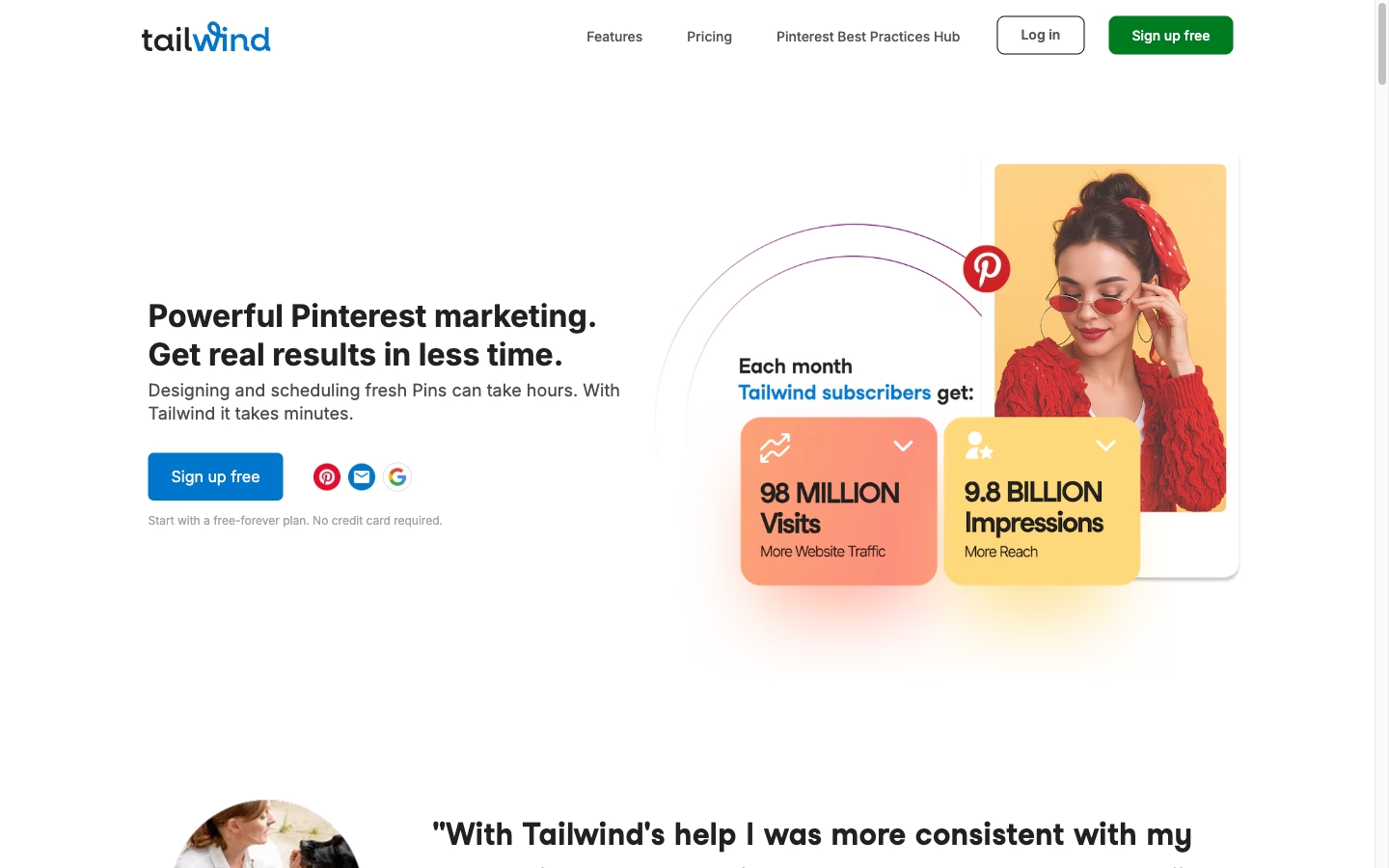
A custom scoring algorithm that ranked engagement quality, 200+ tribes cataloged, invite links curated and maintained. It was obsessive. It was also tremendously effective for driving Pinterest traffic, and the whole system lived on this very page.
Then Tailwind renamed Tribes to Communities, expanded beyond Pinterest into Instagram and Facebook, and the entire landscape shifted underneath those carefully maintained spreadsheets. Eight years later, I’m back to answer one question: does Tailwind still earn its place in a Pinterest marketing stack?
Short answer: yes, but not for the reasons it did in 2017.
Key Takeaways
- Tailwind remains the strongest Pinterest-specific scheduling tool in 2026, backed by an official Pinterest partnership since 2012.
- Tribes are dead. Renamed to Communities in November 2020, functionally similar but the old “master list” curation approach no longer applies to a network of 20,000+ groups.
- SmartPin is the most significant new feature, automatically generating fresh pin designs and copy from your URLs each week. Pinterest’s algorithm rewards fresh content, making this genuinely valuable.
- SmartSchedule still works as advertised, posting at optimal times based on your audience’s engagement patterns.
- Pricing starts at $17.99/month (annual billing) for the Pro plan. The free tier caps at 5 posts per month, which is essentially a trial.
- Instagram and Facebook support exists but feels secondary. If those platforms are your primary focus, better dedicated tools are available.
- For content creators relying on Pinterest traffic, the Pro plan pays for itself within a few months of consistent pinning.
What Tailwind Actually Is Now
Tailwind launched in 2012 as Pinterest’s first official marketing partner. For years, that relationship was the entire product. You connected your Pinterest account, scheduled pins in bulk, and the SmartSchedule algorithm figured out when your audience was most likely to engage.

The platform has grown considerably since then. Over one million brands use it. The feature set now includes visual design tools, AI copywriting, community collaboration, and multi-platform scheduling across Pinterest, Instagram, and Facebook. The core pitch remains straightforward: design, schedule, and grow your Pinterest presence from a single dashboard.
What struck me coming back after years away was how much the interface has matured. The 2017 version was functional but sparse. The current dashboard feels polished without being bloated, which is a difficult balance for tools that keep adding features.
What Happened to Tribes
If you found this page searching for “Tailwind Tribes,” here’s the quick version.
In November 2020, Tailwind renamed Tribes to Communities. The stated reason was inclusivity. The functionality stayed largely identical: groups of Pinterest creators sharing each other’s content, with rules around resharing ratios and content quality. The network has grown to over 20,000 communities spanning every niche imaginable.
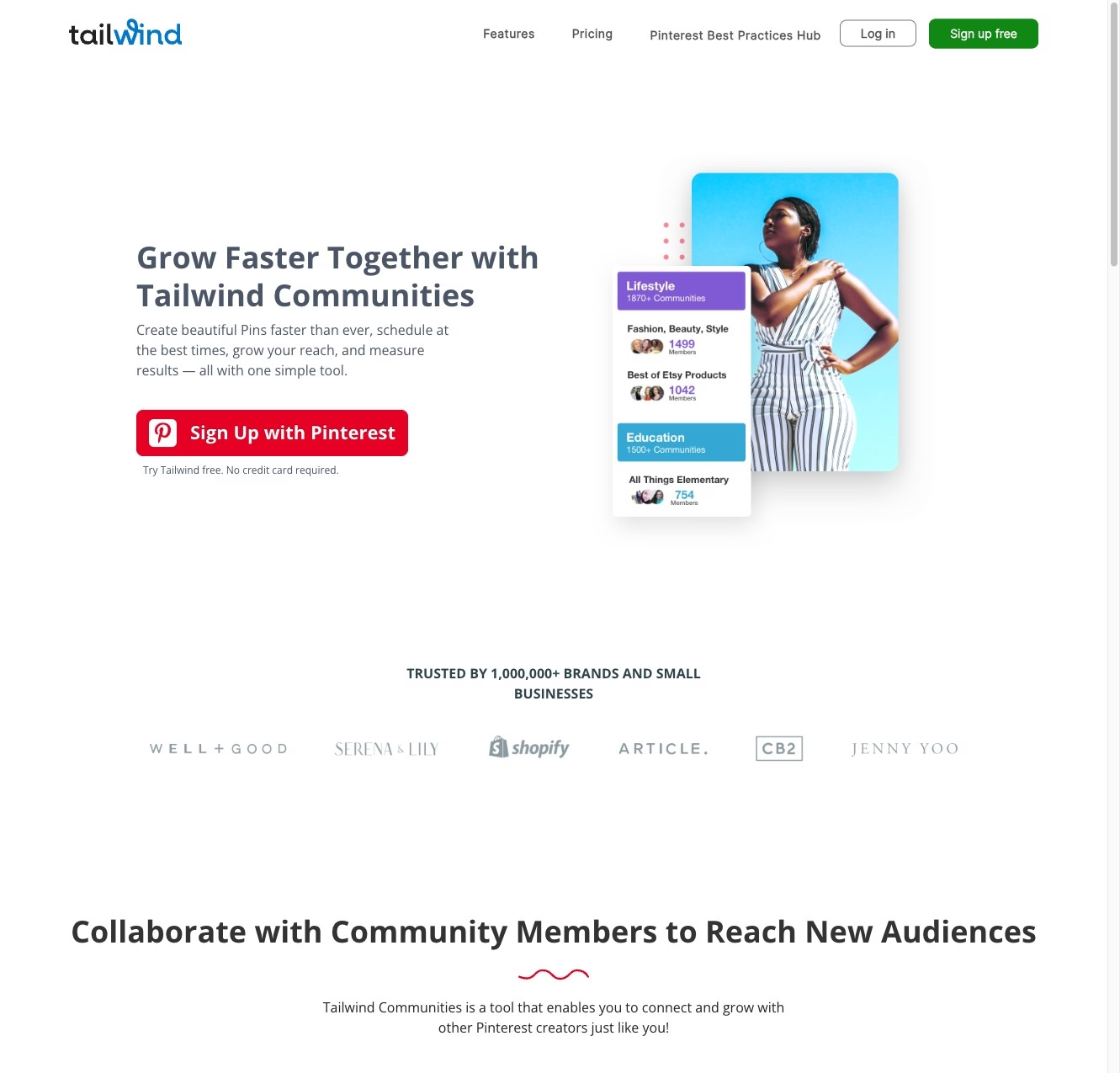
Here’s what changed in practice. Back in 2017, curating a master list of the highest-quality tribes was genuinely useful because the ecosystem was small enough to map. I could test tribes individually, score them on engagement metrics, and maintain a ranked spreadsheet that helped thousands of pinners find their people. That approach simply doesn’t scale to 20,000+ communities. The discovery tools inside Tailwind are now the primary way people find relevant groups, and organic growth has replaced the need for external directories.
Communities by plan: Free includes 1 community with 30 submissions/month. Pro bumps that to 5 communities. Advanced and Max plans offer unlimited communities with unlimited submissions.
The Features That Actually Matter
SmartSchedule
This was the reason I signed up in 2017, and it remains the foundation of the product. SmartSchedule analyzes your followers’ activity patterns and identifies the specific time slots when your pins are most likely to get engagement. You drag pins into a queue, and Tailwind drops them into your personalized schedule automatically.
The practical benefit is enormous for anyone managing Pinterest seriously. Manual scheduling means guessing at optimal posting times and logging in multiple times per day. SmartSchedule turns that into a weekly batch process. Spend an hour loading your queue on Monday morning. Walk away. Your pins go out at the right times all week.
I’ve tested other scheduling tools over the years. None of them match the Pinterest-specific intelligence Tailwind has built from 13 years of data.
SmartPin
This is the feature that didn’t exist during my original deep-dive, and it’s the one that impressed me most coming back.
Pinterest’s algorithm rewards fresh content aggressively. Posting the same pin image repeatedly actually hurts your reach. The old approach was creating multiple pin designs for each blog post manually, which ate hours every week. SmartPin automates that entirely. You give Tailwind your URLs, and it generates new pin designs with unique images and copy on a weekly basis. The system pulls from your content, creates variations, and queues them up.
For a blogger publishing two or three posts per week, SmartPin eliminates what used to be the most tedious part of Pinterest marketing. The designs won’t win awards. But they’re clean, on-brand (if you configure the templates properly), and they satisfy Pinterest’s hunger for novelty.
Tailwind Create
The built-in design tool ships with templates for pins, Instagram posts, and Facebook graphics. Color-coded hashtag suggestions help with discovery. The drag-and-drop editor handles basic customization without requiring external software.
To be completely transparent, I still prefer Canva for anything that requires real design control. Tailwind Create is fast for generating batches of decent pins when speed matters more than pixel-perfect aesthetics. It fills a specific gap in the workflow: when you need 15 pin variations and don’t want to open a dedicated design app for each one. For that narrow use case, it’s genuinely helpful. For anything more ambitious, you’ll outgrow it quickly.
Ghostwriter AI
Tailwind’s AI writing assistant covers 50+ marketing copywriting tasks. Pin titles, pin descriptions, blog post outlines, social captions. The system learns your brand voice over time, which means the output improves the more you use it.
The free plan includes 5 AI credits. Pro gets 150. Max gives you 1,000 per month.
I tested it for pin descriptions specifically, since that’s the most repetitive writing task in Pinterest marketing. The results were serviceable. Not brilliant, not embarrassing. The descriptions included relevant keywords naturally and varied enough between pins that they didn’t read like obvious duplicates. For someone generating dozens of pin descriptions weekly, it saves real time. For someone who cares deeply about every word, it’s a solid starting draft that needs editing.
Communities (Formerly Tribes)
The collaborative engine still operates on the same principle: you join groups of creators in your niche, share each other’s content, and everybody’s reach expands. Rules vary by community. Some require a 1:1 reshare ratio. Others are more relaxed.
Communities work best for bloggers in established niches where reciprocal sharing makes sense. Food bloggers sharing each other’s recipe pins. DIY creators cross-promoting project tutorials. The value diminishes in highly specialized niches where finding relevant communities becomes difficult, and it disappears entirely if you’re in a space where your “competitors” are also your only potential community members.
The discovery interface has improved dramatically since the Tribes era. You can search by keyword, browse categories, and preview community activity before joining. That’s a significant upgrade from the old days of hunting for invite links on blog posts and Facebook groups.
Pricing Breakdown
Tailwind offers four tiers. All prices below reflect annual billing, which saves roughly 40% compared to monthly.
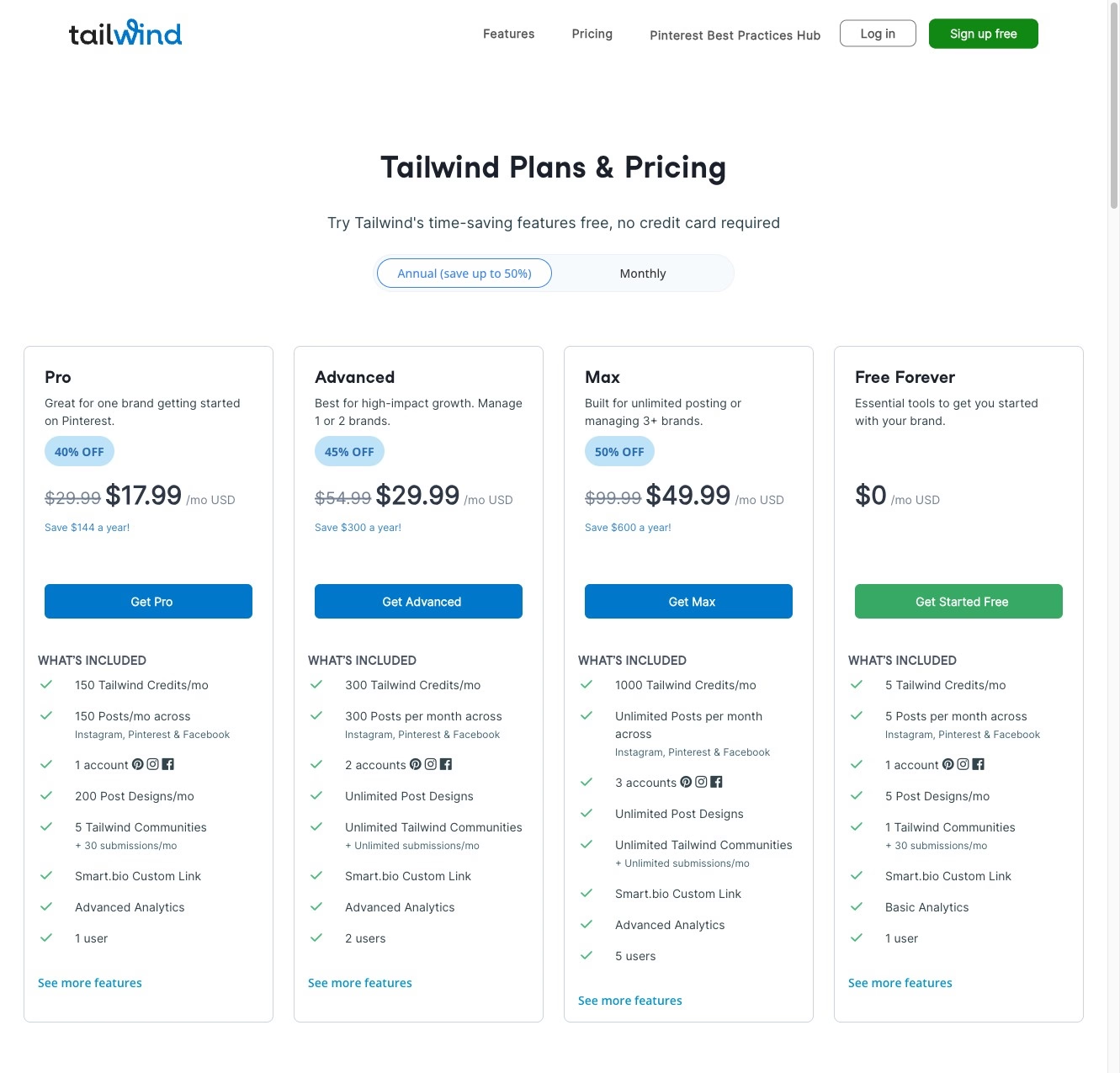
| Plan | Annual Price | Monthly Price | Posts/Mo | Accounts | Communities | AI Credits |
|---|---|---|---|---|---|---|
| Free Forever | $0 | $0 | 5 | 1 | 1 (30 subs) | 5 |
| Pro | $17.99/mo | $29.99/mo | 150 | 1 | 5 (30 subs) | 150 |
| Advanced | $29.99/mo | $54.99/mo | 300 | 2 | Unlimited | 300 |
| Max | $49.99/mo | $99.99/mo | Unlimited | 3 | Unlimited | 1,000 |
Here’s the honest assessment. The Free Forever plan is a trial wearing a permanent label. Five posts per month and one community teaches you approximately nothing about whether Tailwind works for your content strategy. If you’re evaluating the platform, commit to at least a month of Pro to get meaningful data.
Pro at $17.99/month (billed annually, so $215.88 upfront) is the realistic entry point for anyone serious about Pinterest marketing. 150 posts per month means roughly 5 pins per day, which aligns with most experts’ recommended posting frequency. Five communities provides enough collaborative exposure to test the feature without overwhelming your queue with reshares.
Advanced makes sense in one specific scenario: you’re managing two separate brands or running a side business alongside a blog. The second account slot and 300 monthly posts justify the jump to $29.99. For a single Pinterest account, the extra capacity rarely matters.
Max at $49.99/month targets agencies and power users. Unlimited posts, three accounts, and 1,000 AI credits per month. If you’re managing Pinterest for clients, this is where the math works. For individual creators, it’s overkill.
Who Should Use Tailwind (and Who Shouldn’t)
Tailwind makes sense for
- Bloggers who rely on Pinterest traffic. SmartSchedule and SmartPin together automate the two most time-consuming parts of Pinterest marketing.
- E-commerce sellers on Shopify or WooCommerce. Direct integration pulls product images into pin-ready formats.
- Small businesses using Pinterest as a discovery channel. Interior designers, wedding planners, recipe developers, craft sellers.
- Content creators willing to batch their Pinterest workflow. Tailwind rewards the batch approach over spontaneous posting.
Not ideal for
- People whose primary platforms are Instagram or Facebook. Later, Buffer, and Hootsuite all offer superior scheduling for those networks.
- Casual pinners. The free tier’s limitations will annoy you without providing enough structure to justify upgrading.
- Anyone expecting Twitter, LinkedIn, or TikTok support. Tailwind covers Pinterest, Instagram, and Facebook. That’s it.
The Verdict
Tailwind in 2026 is a fundamentally different product than the one I obsessively cataloged tribes for in 2017. The platform has matured from a scheduling-and-tribes app into a broader Pinterest marketing suite with design tools, AI copywriting, and multi-platform ambitions.
The strengths remain Pinterest-specific. SmartSchedule’s 13 years of audience data, SmartPin’s automated fresh content generation, and the deep Pinterest API integration create a combination no competitor matches. The weakness is equally clear: Instagram and Facebook support feels bolted on rather than built in.
For someone publishing content and counting on Pinterest for traffic, the Pro plan at $17.99/month pays for itself within a couple months of consistent use. The time savings alone justify the cost before you factor in improved reach from optimized scheduling.
My recommendation: If Pinterest matters to your business, Tailwind is still the best dedicated tool for managing it. Start with Pro on an annual plan. Give it 90 days of consistent use before evaluating results. Pinterest is a slow-burn platform, and Tailwind’s value compounds over time as SmartSchedule learns your audience and SmartPin builds your content library.
Frequently Asked Questions
Is Tailwind for Pinterest free?
Tailwind offers a Free Forever plan that includes 5 scheduled posts per month, 1 Pinterest account, 1 community membership, and 5 AI credits. It’s functional for exploring the interface but too limited for any real Pinterest marketing strategy. Most users will need the Pro plan ($17.99/month billed annually) to get meaningful results.
How much does Tailwind cost for Pinterest?
Annual pricing ranges from free to $49.99/month. Pro costs $17.99/month ($215.88/year), Advanced runs $29.99/month ($359.88/year), and Max is $49.99/month ($599.88/year). Monthly billing is roughly 40% more expensive across all tiers. Pro is the most popular plan for individual content creators.
What happened to Tailwind Tribes?
Tailwind renamed Tribes to Communities in November 2020 for inclusivity reasons. The core functionality stayed the same: groups of Pinterest creators sharing each other’s content to expand mutual reach. The network has grown to over 20,000 communities. Discovery tools inside the platform have replaced the need for external tribe directories and invite link lists.
Is Tailwind safe for my Pinterest account?
Yes. Tailwind has been an official Pinterest marketing partner since 2012, making it one of only a handful of tools with direct API access sanctioned by Pinterest. Using unauthorized third-party bots or automation tools risks account suspension. Tailwind operates within Pinterest’s approved guidelines, so your account stays in good standing.
Is Tailwind worth it for Pinterest in 2026?
For anyone who treats Pinterest as a meaningful traffic source, yes. SmartSchedule eliminates manual posting, SmartPin generates the fresh content Pinterest’s algorithm demands, and Communities provide collaborative reach. The Pro plan at $17.99/month typically pays for itself through time savings within the first two months. For casual pinners, probably not.
What is SmartPin in Tailwind?
SmartPin is a feature that automatically generates new pin designs and copy from your existing URLs on a weekly basis. Since Pinterest’s algorithm penalizes repetitive content and rewards fresh pins, SmartPin solves the most labor-intensive part of Pinterest marketing: creating multiple unique pin variations for every piece of content you publish.
Can I use Tailwind for Instagram and Facebook too?
Tailwind supports scheduling and posting to Instagram and Facebook in addition to Pinterest. However, the Instagram and Facebook tools are noticeably less developed than the Pinterest features. If those platforms are your primary focus, dedicated tools like Later (Instagram) or Buffer (multi-platform) offer a more robust experience.
What’s the difference between Tailwind Communities and the old Tribes?
Functionally, very little. The name changed in November 2020. You still join niche groups, share content, and reshare others’ pins according to community rules. The biggest practical difference is scale: the network grew from a few thousand tribes to over 20,000 communities, making the built-in discovery tools more important than external directories for finding relevant groups.
Does Tailwind work with Shopify?
Yes. Tailwind integrates directly with Shopify and WooCommerce, pulling product images and data into pin-ready formats. This makes it particularly useful for e-commerce sellers who want to automate product pin creation and scheduling without manually designing each pin.
How many pins can I schedule with Tailwind?
The Free plan allows 5 posts per month. Pro provides 150 posts per month (roughly 5 per day). Advanced offers 300 monthly posts. Max includes unlimited scheduling. For reference, most Pinterest marketing experts recommend pinning between 3 and 10 times daily, placing Pro’s 150 monthly posts at the lower end of that range and Advanced comfortably in the middle.
Affiliate Disclosure: Some links in this article are affiliate links. If you sign up for Tailwind through these links, MK Library may earn a commission at no additional cost to you. This doesn’t influence our assessment. We recommend tools based on genuine experience and honest evaluation.
Article Updates
February 23, 2026: Complete rewrite. The original article, published October 2017, covered Tailwind Tribes exclusively with a custom scoring algorithm and a master invite list of 200+ ranked tribes. Tribes were renamed to Communities in November 2020, and the curated directory approach became obsolete as the network grew to 20,000+ communities. This version is a comprehensive Tailwind review covering current features, 2026 pricing, and honest assessment.



Thank you for this amazing guide, definitely have joined a few Tribes from this list.
I want to up my Tailwind game. Might print out this whole post! Thanks for the great list.
Tailwind Tribes have helped me uplevel my Pinterest game. Such a great compilation of Tribes.
This is an awesome and informative post. I am so lost on Tailwind…it seems a little hard to figure out and requires a lot of time.. I a m soo not techy and get lost on some of these platforms
I am signed up and invited to some tribes already, just not active :/
Valerie